
Instructions for paying for the auction
Bid acceptance
Each auction is approved separately after it has ended. Some auctions are approved automatically when the reserve price has been exceeded, while others require the vendor’s approval. Once your bid has been accepted, we will send you an email containing a link to complete the payment.
Paying for the product
Once you have won the auction and your bid has been accepted, you will find a payment button on the product page for the item you won. Click it to proceed with the payment. You must be logged into your account to complete the payment.
If you are not yet logged in, you can sign in either directly on the product page or through your account:
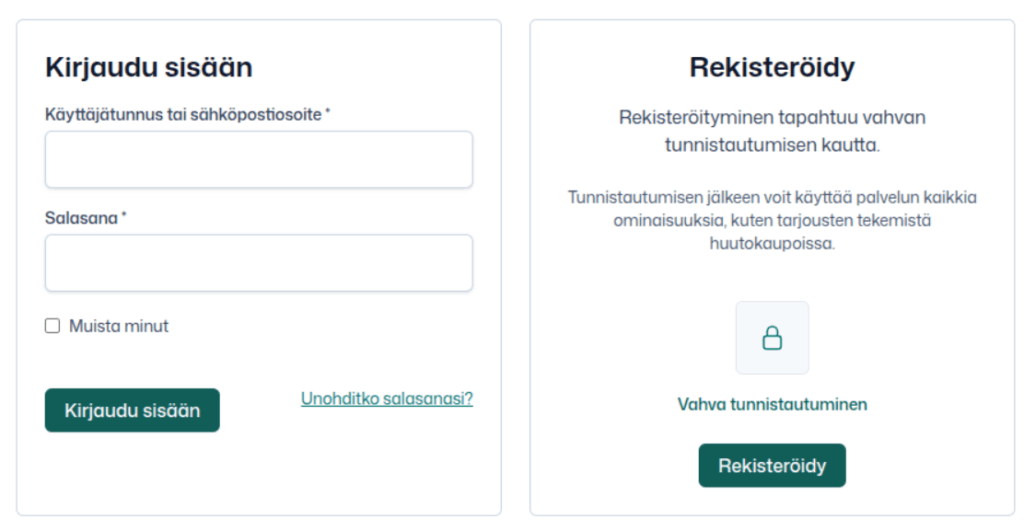
By clicking the payment button, you will be directed to the checkout page, where you can pay for the item you bid on:

You can also see the status of the auctions you have bid on through the main menu by clicking “My Account,” selecting “Auctions,” and from there you can also pay for the items you have won.
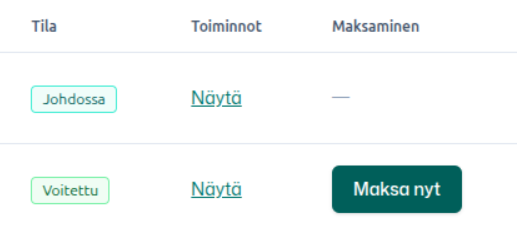
If the auction is waiting for the vendor’s approval, you will see a notification on the product page of the item you bid on.

You will also receive a separate email notification when the vendor has accepted your bid.


